Mouza Plot & Measure BD
Find a Bangladesh Mouza map, look at it before you download it, and measure any plot on it: area in decimal (শতক), katha, bigha and acre, every side's length, and the perimeter. No account, no ads, and your plots stay on your phone.
Help me test Mouza Plot
The app is in closed testing on Google Play. If you'd like to help test it, the three steps below will get you started.
Tap Ask to join group to join the Mouza Plot tester community.
Open the Google GroupTap Become a tester to opt your Google account into the closed test.
Become a testerOnce you're enrolled as a tester, install the app from Google Play using the link below.
Install on Google Play- Please keep the app installed while you test it.
- Try your own district: browse, preview and download a map, then measure a plot you know.
- If an area doesn't match your records, or anything is confusing, please tell me so it can be fixed before public release.
Feedback: [email protected]
Joining the group and closed test uses your Google account. You can leave the test at any time from Google Play's tester page.
From Mouza sheet to plot area
Everything a landowner or buyer needs to check a plot's size on the map, in the units used for land in Bangladesh.
Browse Mouza Maps
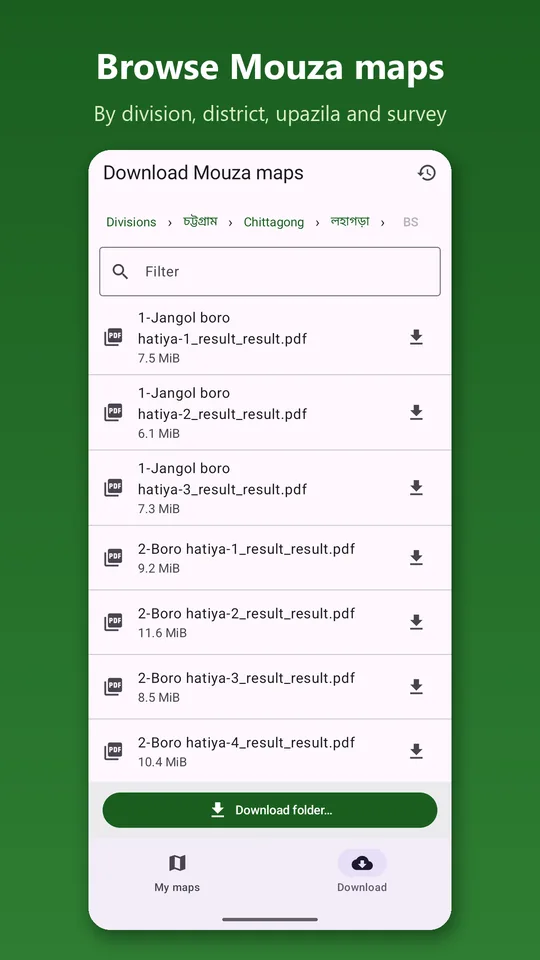
Scanned Mouza maps by division › district › upazila › survey (CS, SA, RS, BS). A filter box finds a mouza quickly, in Bengali or English digits.
Preview Before You Download
Open any map to see the whole sheet first, zoom in full screen, and step through the folder with Previous / Next. Download only the one you need.
Download One Map or a Whole Folder
Maps are saved in your Downloads folder and open without internet. Big folder downloads continue in the background; maps you already have are skipped.
Measure Any Plot
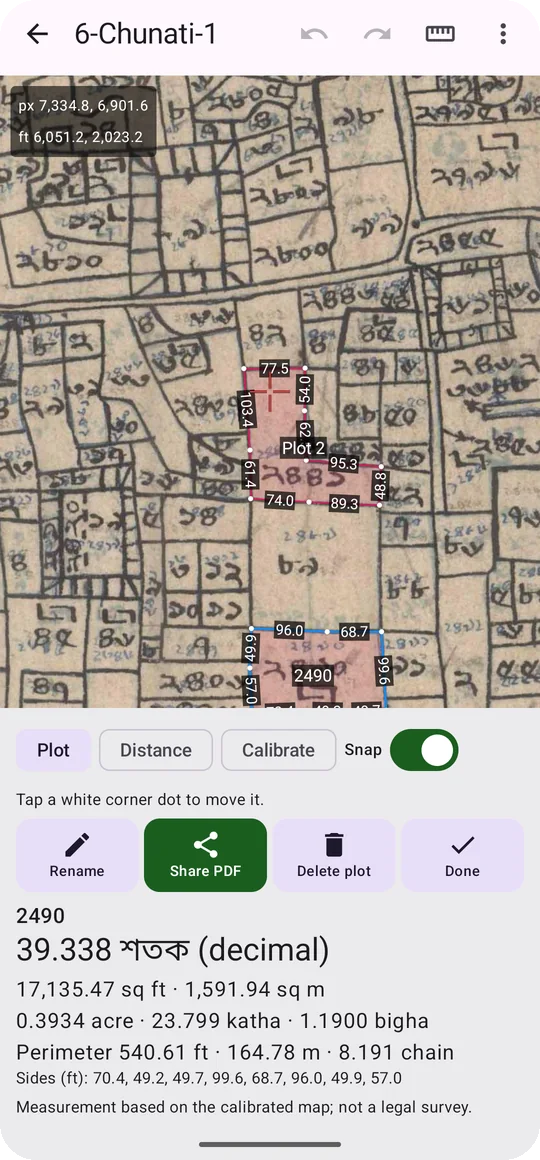
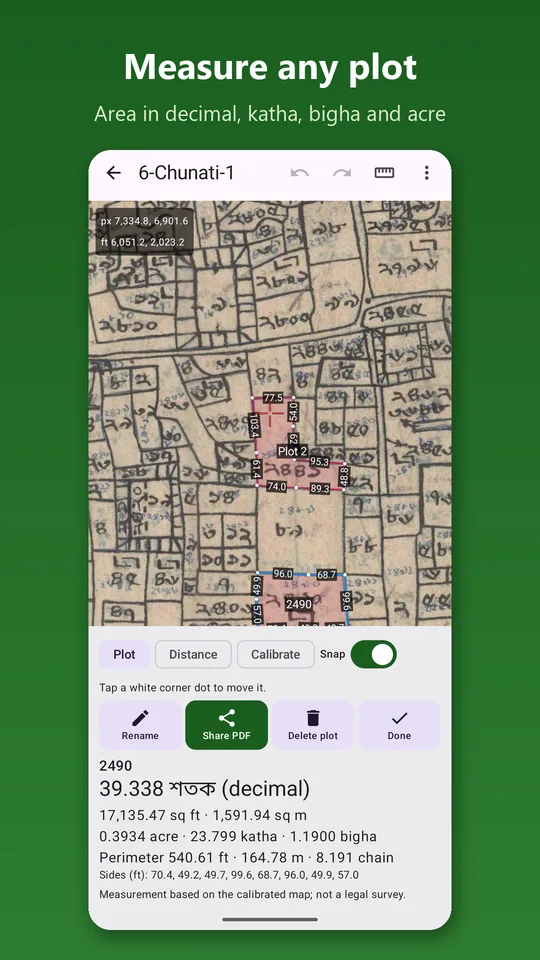
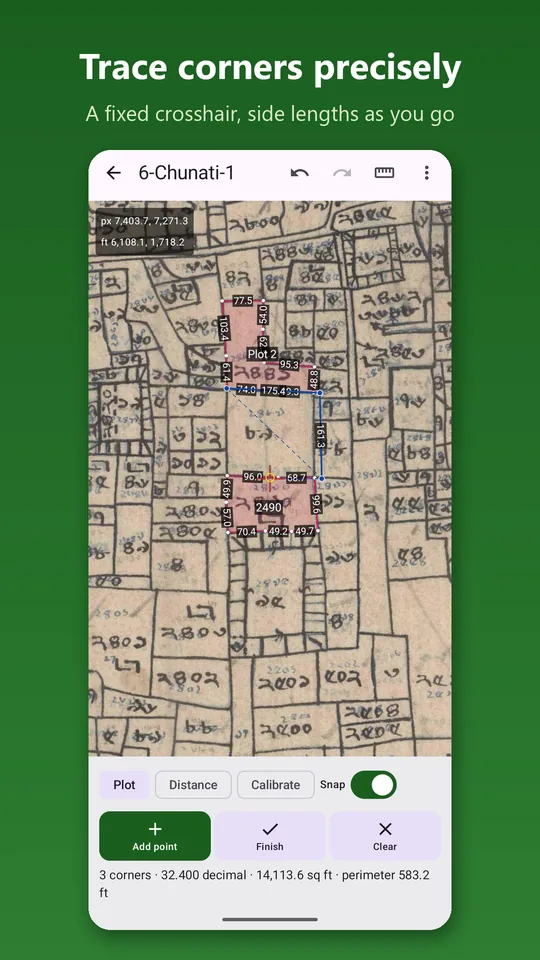
Pan the map under a fixed red crosshair and add each corner, so your finger never hides the line you are tracing. Corners snap to plots you have already drawn.
Bangladeshi Land Units
Area in decimal (শতক), square feet, square metres, acre, katha and bigha, with an adjustable katha size. Side lengths on the map, perimeter in feet, metres and chains.
Calibrate the Scale
Use the printed scale (16 inch = 1 mile) and the scan's resolution, or mark two ends of the chain scale bar. Check it any time with the Distance tool.
PDF Reports & DXF
Share a PDF report of your plots with their areas and side lengths by WhatsApp or e-mail. Export to DXF to open the plots in AutoCAD.
English and বাংলা
The whole app, including numbers, in English or Bengali. Also opens your own scanned maps: PDF, JPG or PNG.
Three steps to a plot's area
Find the map
Browse to your mouza, preview the sheet, and download it. Or open a scanned map you already have.
Set the scale and trace
Confirm the map scale, zoom in on your plot, and add a point at each corner with the crosshair.
Read the area and share
See the area in decimal, katha and bigha as you go. Name the plot by its dag number and share a PDF report.
The User Guide walks through every step.
See it on a real Mouza map
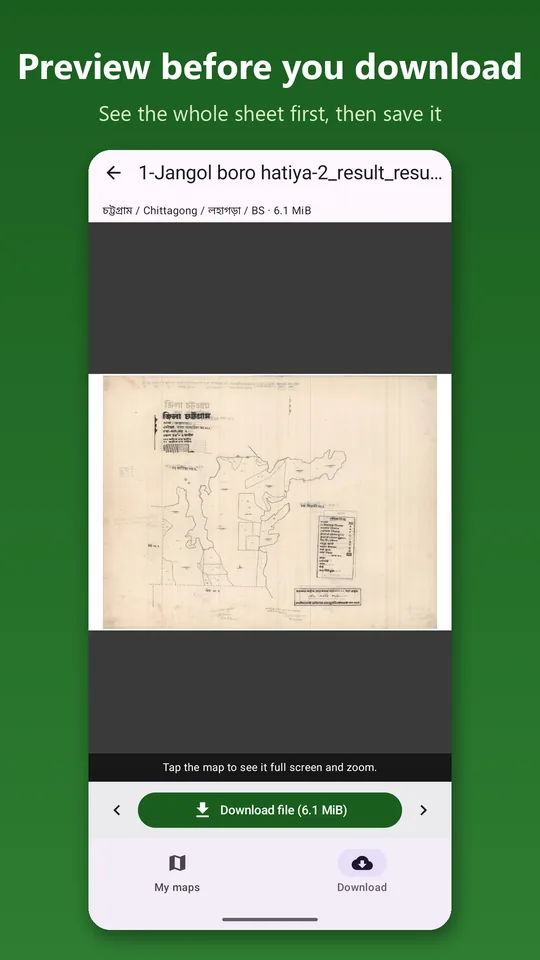
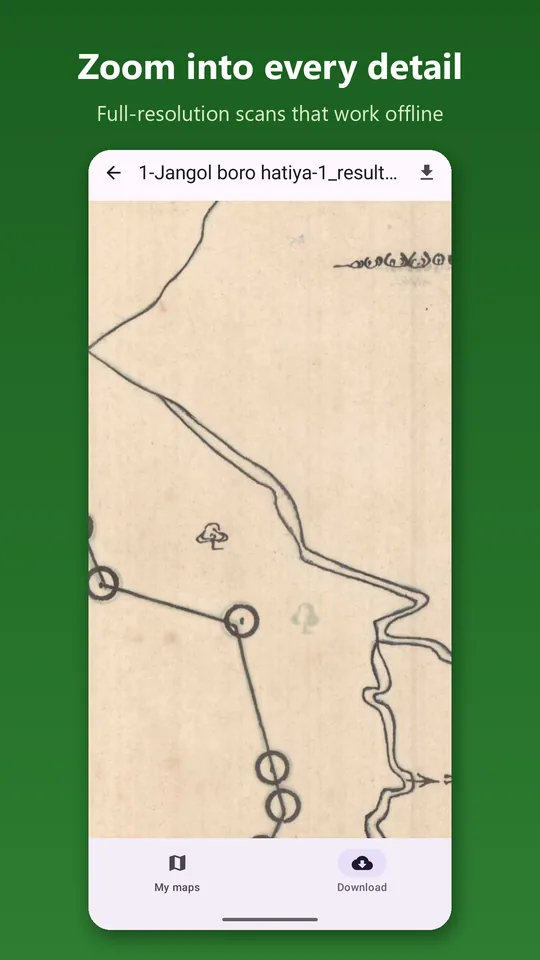
No account, no tracking
Mouza Plot collects nothing about you. Your maps, plots and measurements stay on your phone. The app only goes online to list and download maps, and it sends nothing about you or your plots when it does.
Read Full Privacy Policy →- No account, no sign-in, no registration
- No analytics, no advertising, no crash reporting
- Plots, dag numbers and settings stay on your phone
- Measuring works without internet
- Never asks for location, contacts, camera or microphone
- Reports are created only when you ask, and go only where you send them
What the app asks for, and why
No location, no contacts, no camera, no microphone, no SMS, and no broad storage access on current Android versions.